
Steel Connection Design
PowerConnect is a
Steel Connection software
PowerConnect is BuildSoft’s dedicated software for the design and verification of steel connections, used by structural engineers to check moment connections, shear connections, column bases, and tubular connections according to Eurocode 3, IS 800, and AISC-LRFD. It optimizes bolt positions automatically and shows each component’s utilization through colour-coded results, so engineers can move from a connection sketch to a checked, documented design without manual calculation.

Connection types


Moment connections
Shear connections
Column bases
Tubular connections
Fast and easy steel connection design with PowerConnect
Input
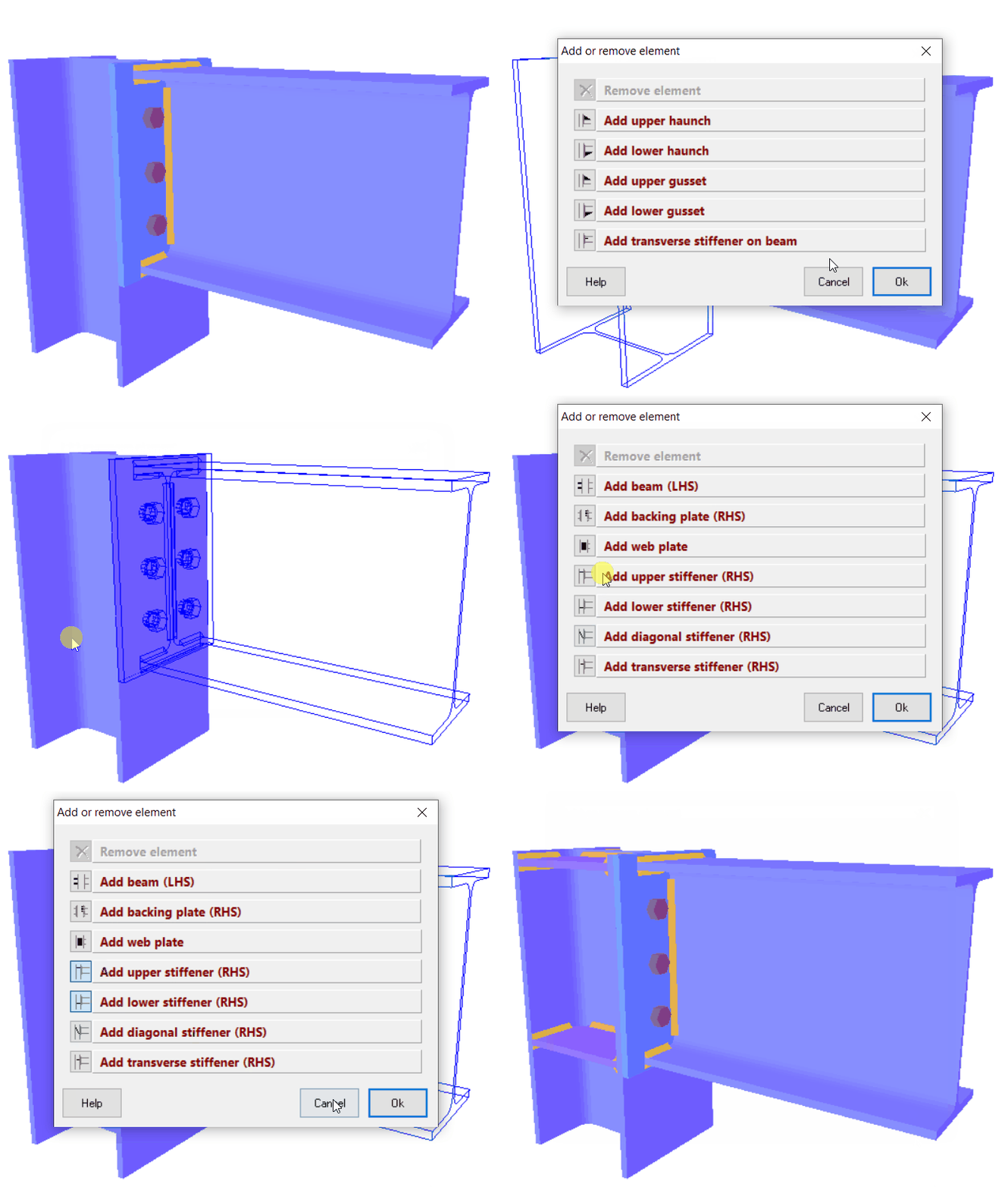
Easy and fast definition of connections from an extensive library of typical connection designs.
Quick graphical editing of connections with a simple mouse click, directly on the 3D rendering.
Analysis
Optimization of bolt positions according to EN 1993-1-8, IS 800 and AISC-LRFD.
Fast identification of undersized and oversized components through colour coding on connection geometry of each component’s level of exhaustion.

Reports and drawings
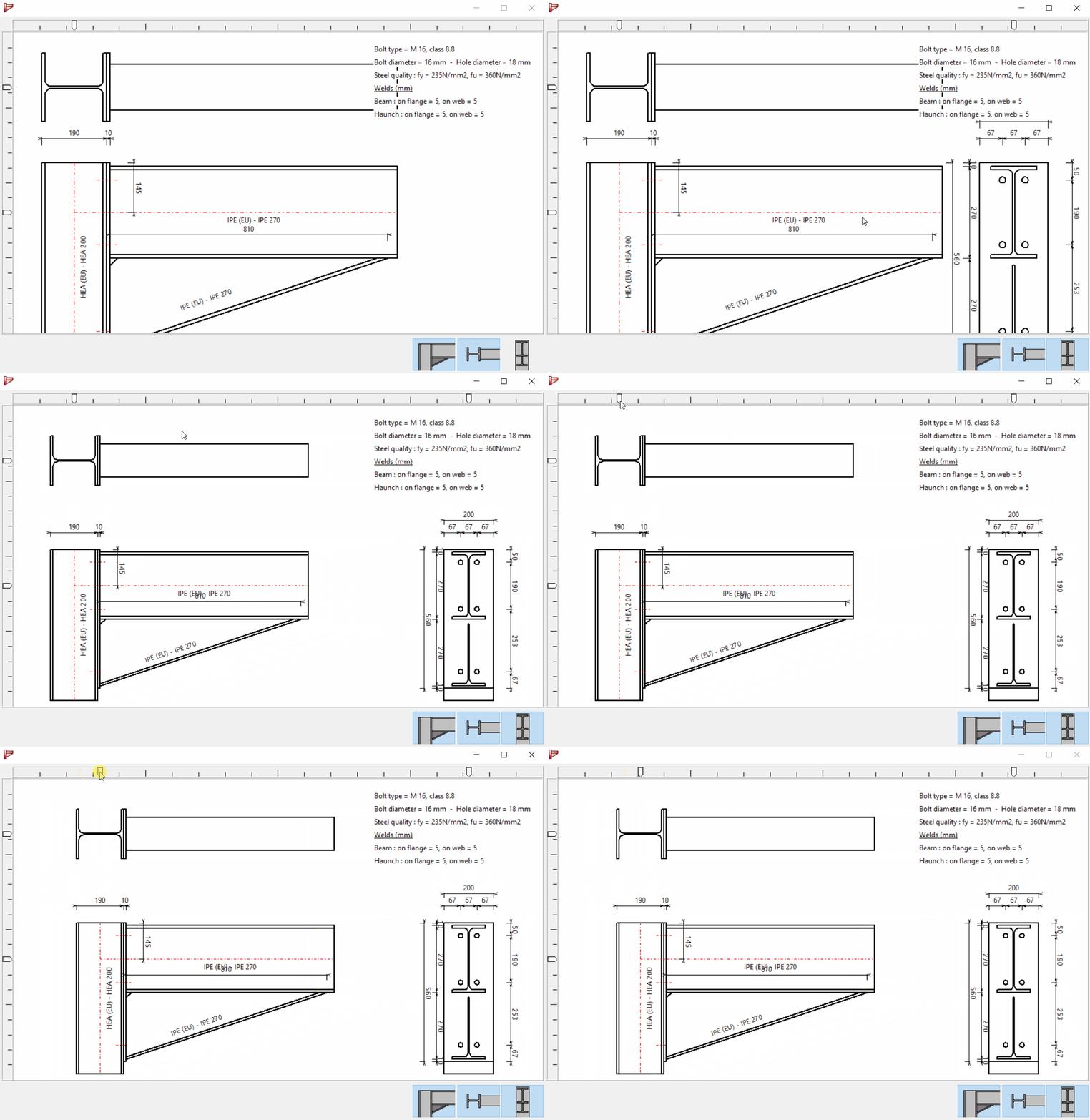
Creation of drawings including annotation. Export capability to DXF, allowing for further elaboration in CAD environment.
Automated creation of design analysis report with preview capability. Report can be saved for editing in MS Word.
30 – days testing all connections, free of charge
Design your connections in less than 1 minute!
BIM links


Revit to PowerConnect
Tekla to PowerConnect
Diamonds to PowerConnect
SAP2000 to PowerConnect
FAQ
What is PowerConnect used for?
PowerConnect is used to design and check steel connections: moment connections, shear connections, column bases, and tubular (CHS/SHS/RHS) connections, including bolt position optimization and automatic generation of connection drawings and calculation reports.
What design codes does PowerConnect support?
Connection design to Eurocode 3 (EN 1993-1-8), IS 800, and AISC-LRFD.
Does PowerConnect work with other software I already use?
Yes, PowerConnect has BIM links to Revit, Tekla Structures, SAP2000, and BuildSoft’s own Diamonds, so connection geometry and loads can be exchanged directly instead of re-entered by hand.
How long does it take to learn PowerConnect?
Connections are defined graphically from a library of typical connection types and edited with a mouse click directly on the 3D rendering, most engineers are productive within their first few connections.
How much does a PowerConnect license cost?
See below. You can buy directly through the webshop, or request a custom quote if you’re not sure what configuration you need.
Is there a free trial?
Yes, PowerConnect offers a fully functional 30-day free trial, no credit card required, covering all connection types.
Licenses and Pricing
You can buy your PowerConnect license online via our webshop below.

Are you looking for an other configuration or you are not sure about what you need? Fill out our quote form to get a custom PowerConnect quote and we will get back to you soon.
Brochures PowerConnect
Get your free 30-day trial today!
No credit card required