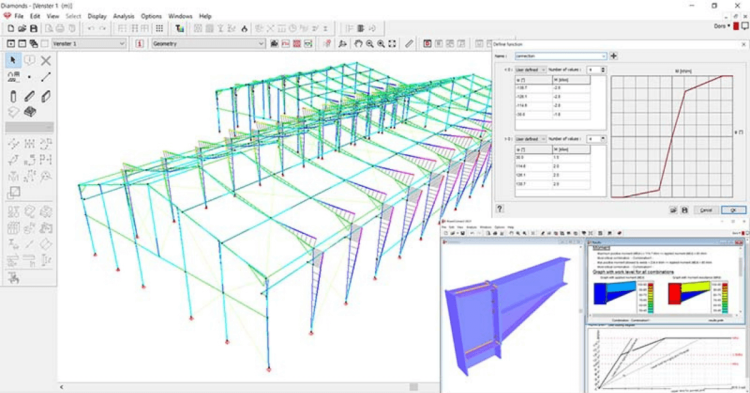
Getting a structural model right comes down to a handful of practical habits: define your ultimate and serviceability limit state criteria upfront, schematize the real construction into a clean mechanical model, get boundary conditions right, know when a structure is statically determinate versus when you actually need analysis software, and always interpret the results yourself instead of trusting default settings blindly.
What design criteria should a structure satisfy?
To what requirements and standards must the structure comply? Each project sets its own design criteria for:
- Ultimate Limit State (ULS) : resistance, stability, fatigue …
- Serviceability Limit State (SLS) : maximum deflection, minimum eigenfrequency, maximum crack width, maximum concrete stress,…
How do you schematize a structure into a mechanical model?
Schematize the construction into a mechanical model. A mechanical model contains only the bearing structure, the set of beams, columns, walls and floors that transfer loads to the foundation. Beams and columns are represented only by their axes. Connections with the outside world or with other elements are schematized using boundary conditions.
What are internal and external boundary conditions, and why do they matter?
External boundary conditions, also known as supports, define the force transfer between the construction and the fixed world, for example a pinned support or a fixed support. Supports can also substitute for structural elements that aren’t included in the calculation model.
An internal boundary condition defines the force transfer between the modeled structure elements themselves, for example an internal hinge. Internal boundary conditions can exist between bar elements, between plate elements, and between bars and plates.
Boundary conditions determine a very large part of how forces distribute through the model. They need to describe the structure’s actual behavior as accurately as possible, so getting the definition right is essential.
When is a structure statically determinate, and when do you need analysis software?
Before calculating a structure by hand, determine whether the construction is statically determinate. That tells you which calculation method to use.
A structure is statically determinate if its internal forces can be calculated based on the static equilibrium equations alone, meaning there are exactly as many equilibrium equations as unknown variables. Examples include:
- Cantilever beams
- Continuous beams on multiple rolled supports
- Three-hinged arch
- Some types of trusses
When a structure is statically indeterminate (hyperstatic), internal forces depend not just on the applied loads but also on the elements’ stiffness and any possible displacement of the supports, which makes the calculation far more complex. Any structure that isn’t statically determinate is, by definition, statically indeterminate.
Once a construction is statically indeterminate, or you suspect you’ll need to calculate it more than once, use analysis software. Let the software handle the finite element method and matrix solvers, and treat yourself to a cup of tea while it works.
Give software a try and download our free trial versions!
Why shouldn’t you trust a FEM software’s default mesh settings?
In Finite Element Method calculations, the model is divided into a finite number of small pieces so it becomes accessible for calculation, these small pieces are called a mesh. The mesh is generated before the actual calculation (the elastic analysis) starts. The right mesh size depends on the shape and dimensions of the model: too fine a mesh means a much longer solving time, too coarse a mesh can make the model artificially stiff and prevent it from deforming realistically.
Who’s responsible for interpreting the results, the software or the engineer?
After the analysis, whether by hand or by software, it’s still up to the engineer to interpret the results correctly. Are they what you expected, and are they acceptable? If not, the model needs adjusting, by modifying sections or materials or by adding elements.
Why does training on your analysis software matter?
If you’re using analysis software, get proper training on it. Good training gives you the skills to handle your projects more efficiently, and teaches you the theoretical background and scope of application behind the tools you’re using.
BuildSoft organizes group trainings on a regular basis in different locations. Check our events calendar for details.
FAQ
Next step
Want software that helps you get boundary conditions, mesh settings and result interpretation right the first time? Try Diamonds free for 30 days, fully functional, no obligation.